

For grad night and post-prom committees
One safe night. A year of planning. One board.
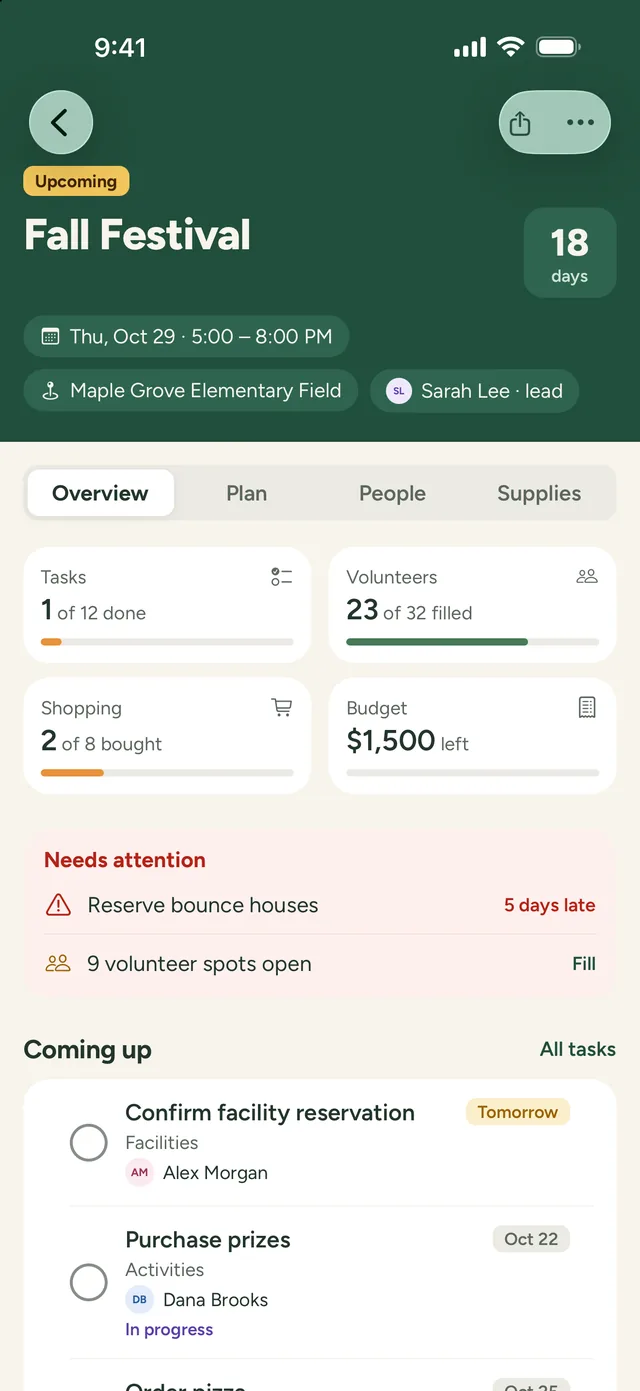
Whether your school calls it grad night, Project Graduation, or post-prom, PineBoard keeps the tasks, overnight shifts, donated prizes, and budget in one place, so your committee isn’t running the year on group texts.
Free for 60 days · No card needed · Volunteers never pay
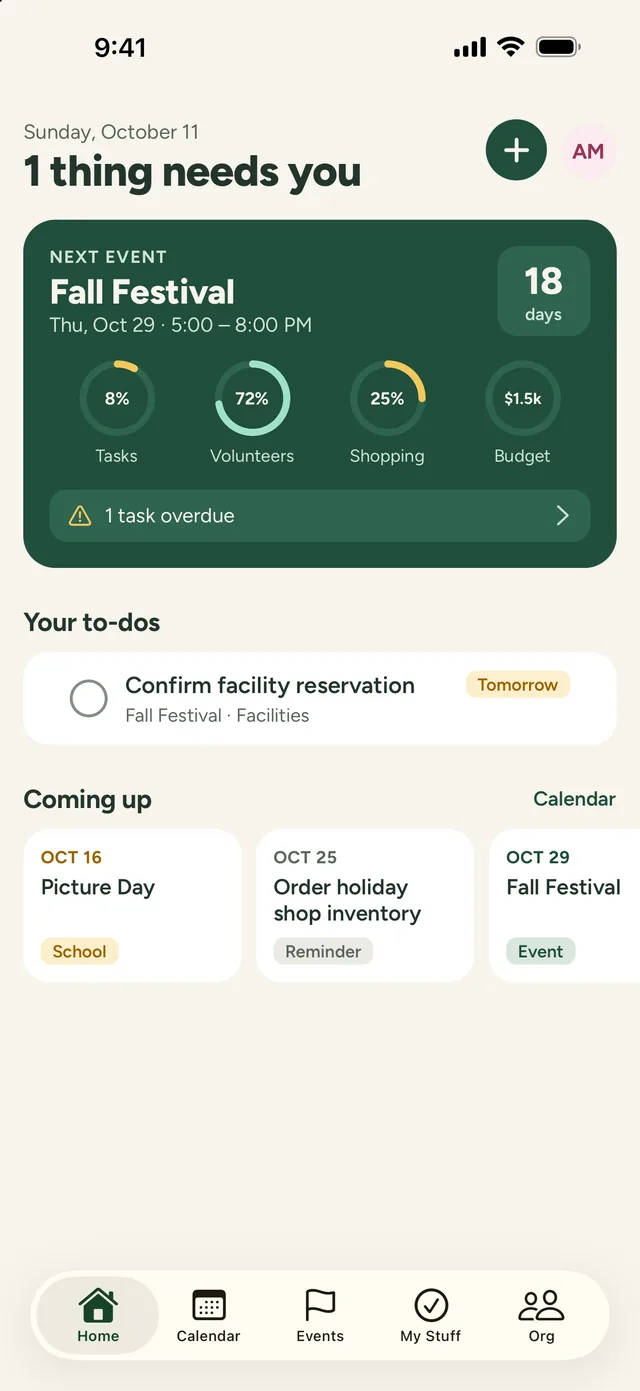
No more 3 a.m. gaps
Every chaperone shift shows who’s coming and what’s still open, long before the night.
No more starting from scratch
Next year’s committee gets this year’s plan, budget, and notes, not a blank page.
No more mystery money
The budget, receipts, and reimbursements live with the party they paid for.
Rally the volunteers
Fill every shift until the 5 a.m. pickup
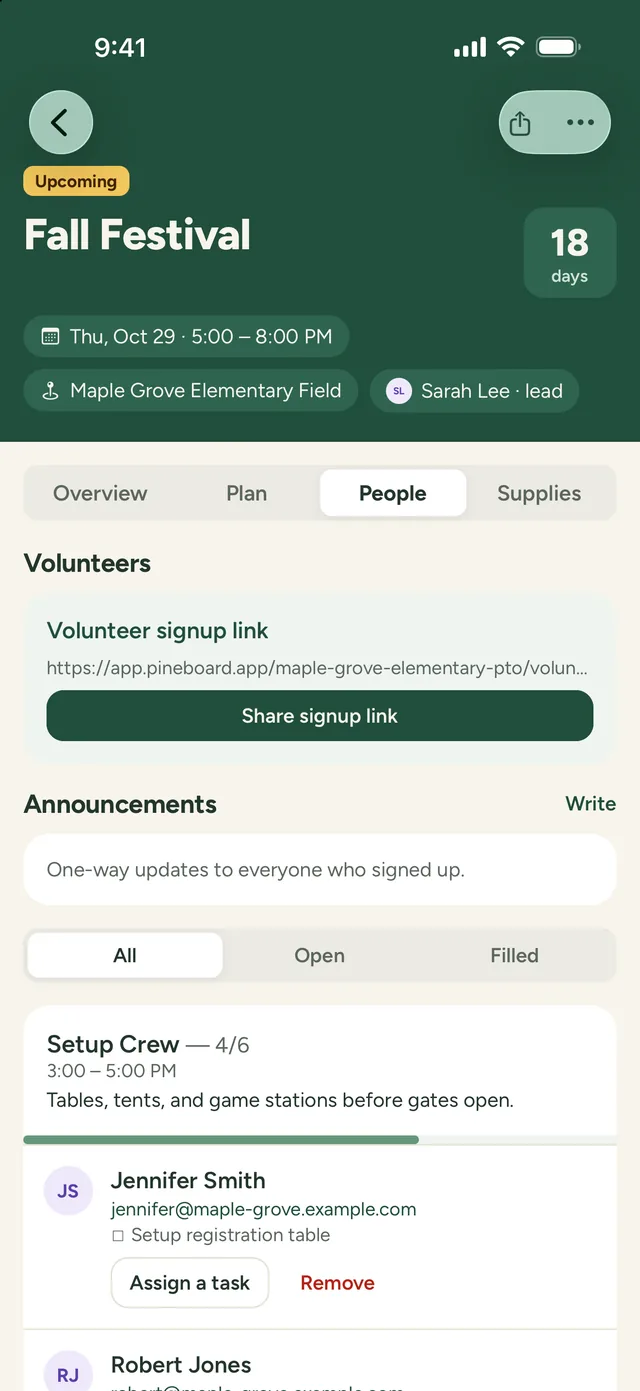
- Add spots like Decorating, Check-in, Casino Tables, and the 2–5 a.m. Chaperone Shift, each with its own time and headcount
- Share one link with every senior parent. They sign up from any phone, with no account or app
- Volunteers get a confirmation and a reminder the day before
- See which overnight shifts still need people, and send an update to everyone who signed up
Plan the party
Months of planning, one shared board
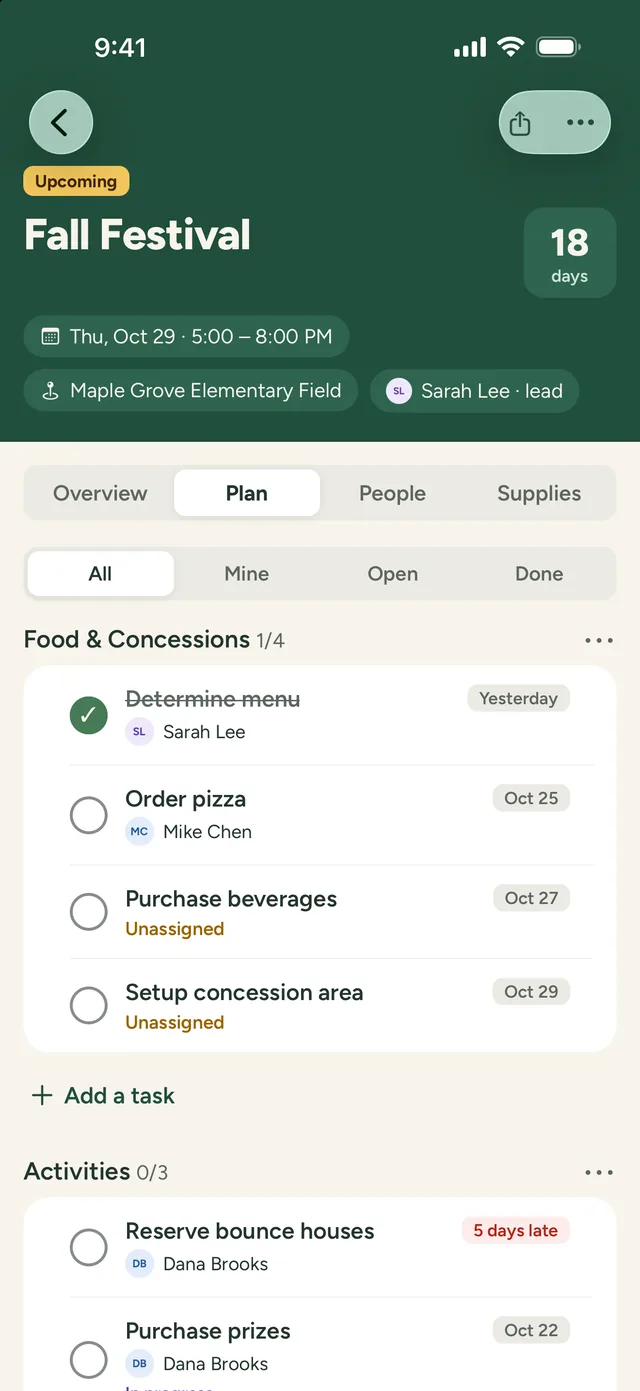
- Break the night into areas like Venue, Food, Entertainment, Prizes, and Security
- Give every task an owner and a due date, from booking the venue in fall to the final walkthrough
- Plan your fundraisers through the year as their own events, on the same calendar
- Keep vendor contracts, the floor plan, and flyers with the event, for your committee only
Budget and donations
Know what’s raised, spent, and left
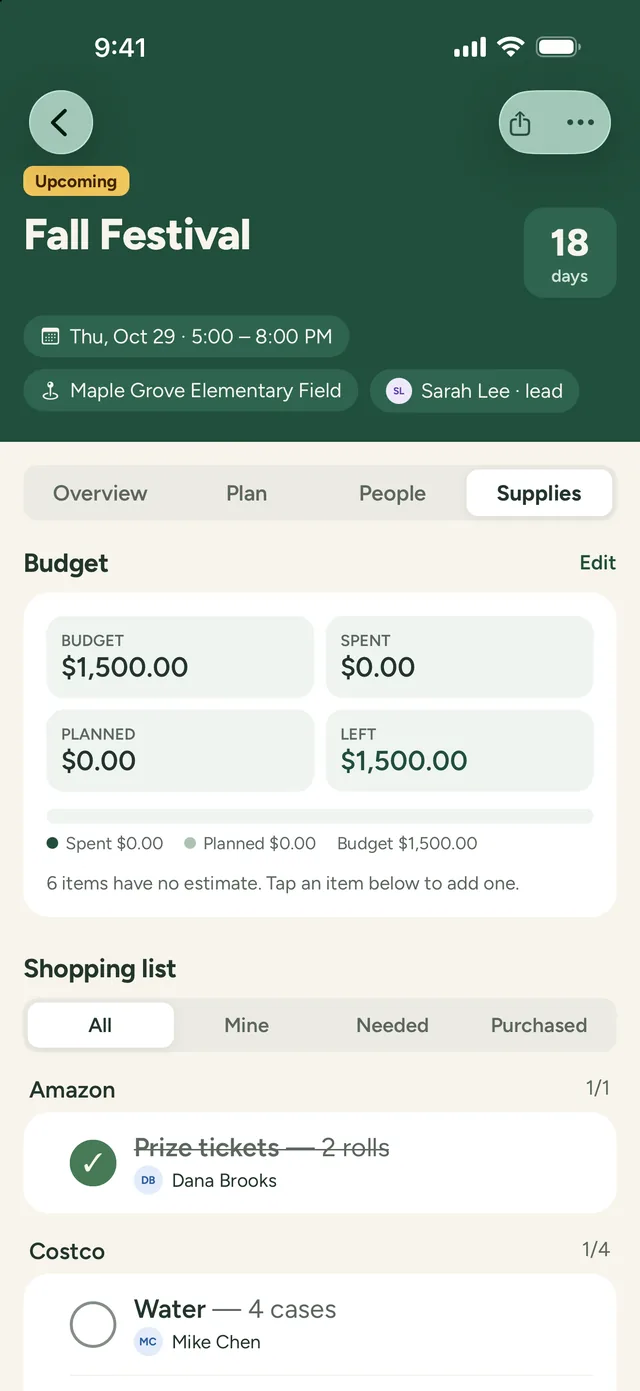
- A budget for the party, showing what’s spent, planned, and left
- Shopping lists by store for snacks, decorations, and prizes, with who’s buying what
- Snap a photo of each receipt, and track which parents are owed a reimbursement
- Keep every business that donated a prize or sponsored the night in one directory
Next year’s committee
Hand next year’s parents a plan that works
- A brand-new committee takes over every year. Give them this year’s plan instead of a blank page
- Copy the whole party to next year’s date, with its tasks, shifts, shopping, and budget
- Notes after the night, so the next committee knows what to change
- Donors and vendors stay with your group, not in one parent’s inbox
The whole night
Every piece of the party, on one board
Venue and theme
Booking, the floor plan, and a decorating crew that starts the afternoon before.
Food all night
Pizza at midnight and breakfast at dawn, with shopping lists and who’s picking up what.
Entertainment
Casino tables, inflatables, a hypnotist, or karaoke, each with its own helpers and vendor details.
Prizes
Donated prizes and the grand prizes, tracked from the ask to the thank-you note.
Check-in and safety
Door shifts, chaperones through the night, and the plan for the morning pickup.
Fundraisers
Restaurant nights, car washes, and letters to businesses, planned through the year.
Buses
Transportation details and the parents riding along, kept with the event.
Thank-yous
Every donor and sponsor in one list, so nobody gets missed after the night.
Free planning kit
Start from a plan, not a blank page
An 8-month timeline, overnight volunteer shifts, a sample budget, and a shopping list. Print it, or bring it into PineBoard with your own date.
Works with what you have
PineBoard runs the planning. Keep the rest.
PineBoard doesn’t sell tickets, take donations, or keep student information. It’s where your committee plans the work, fills the shifts, and tracks what the night costs, on iPhone, iPad, Android, and the web.
Keep using:
- • Your school’s system for selling tickets and permission forms
- • Whatever you use to take donations online
- • Your senior parents’ group chat or Facebook group, where you post signup links


Pricing
One price for your whole committee
Try everything free for 60 days, with no card needed. Then it’s $149 a year, about $12 a month, or $19 month to month.
- Your whole committee, up to 50 people, with no per-person fees
- Volunteers sign up free, with no account
- Every feature on iPhone, iPad, Android, and the web
- Email reminders and announcements
Planning all year?
Most committees start in the fall. The yearly plan costs less than eight months of monthly, and covers your fundraisers too.
Starting late? Pay as you go.
Choose monthly: $19 a month only while you plan, then cancel after the night. Your plan stays saved for next year’s committee.
Questions grad night committees ask
Our school calls it something else. Is this for us?
Yes. Grad night, Project Graduation, post-prom, the all-night grad party, senior all-nighter, Safe Grad, Dry Grad, or a senior lock-in: if parents plan a supervised party for students, PineBoard works the same way.
Our committee is part of the PTO. Do we need our own account?
No. If your PTO already uses PineBoard, plan grad night as one of its events and invite the committee to the board. If your committee runs on its own, start your own PineBoard.
Can students buy tickets or turn in permission forms through PineBoard?
No. PineBoard is for the adults planning the night, so please don’t add student information. Keep using your school’s system for tickets and forms.
Can we take donations through PineBoard?
No. PineBoard doesn’t collect money. Keep whatever you use for donations, and use PineBoard to track the budget, receipts, reimbursements, and the businesses that gave.
The party runs overnight. Can shifts go past midnight?
Yes. An event can run across more than one day, and each volunteer spot has its own date and time, so the 2–5 a.m. shift is its own spot with its own headcount.
Do parents need an account or the app?
No. Share a signup link and parents pick a shift from any phone or computer. They get a confirmation with a link to change or cancel, and a reminder the day before.
More answers on the main FAQ and the Support page, or email support@pineboard.app and a real person will reply.
A night they’ll remember, planned without the panic
Set up your committee in a couple of minutes, invite your parents, and start on this year’s party.
Start your free 60-day trial