

For athletic, band, and theater boosters
Run the season, not the group text.
PineBoard keeps the concession shifts, team dinners, banquets, and fundraisers your booster club runs in one place, with every task, volunteer, shopping list, and budget where your whole board can see it.
Free for 60 days · No card needed · Volunteers never pay
No more empty concession shifts
Parents pick a shift from one link, and get reminded the day before.
No more “who’s bringing the pasta?”
Every task and shopping item has a name next to it, and everyone sees the same plan.
No more shoebox of receipts
The budget, receipts, and reimbursements live with the event they belong to.
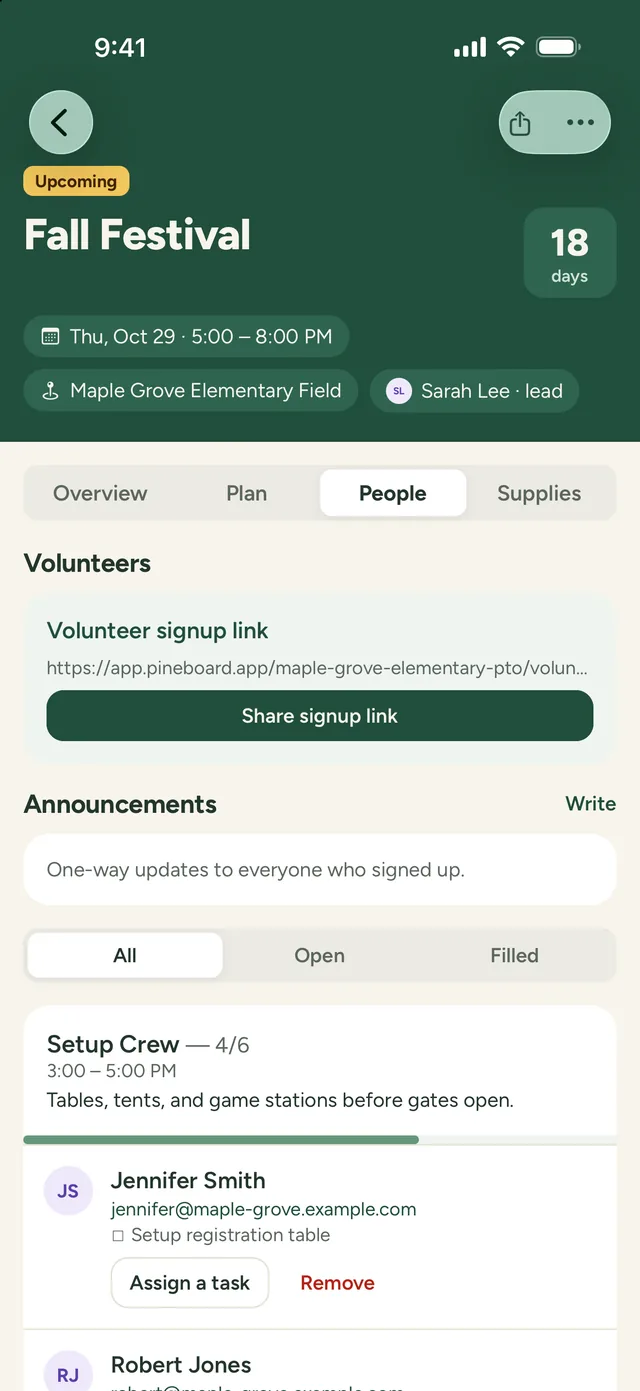
Rally the volunteers
Concession shifts that fill themselves
- Add spots like Concessions 1st Half, Gate, or Team Dinner Setup, with times and how many people you need
- Share one link in the team group chat. Parents sign up from any phone, with no account or app
- Volunteers get a confirmation and a reminder the day before the game
- See which shifts are still open, and send an update to everyone who signed up
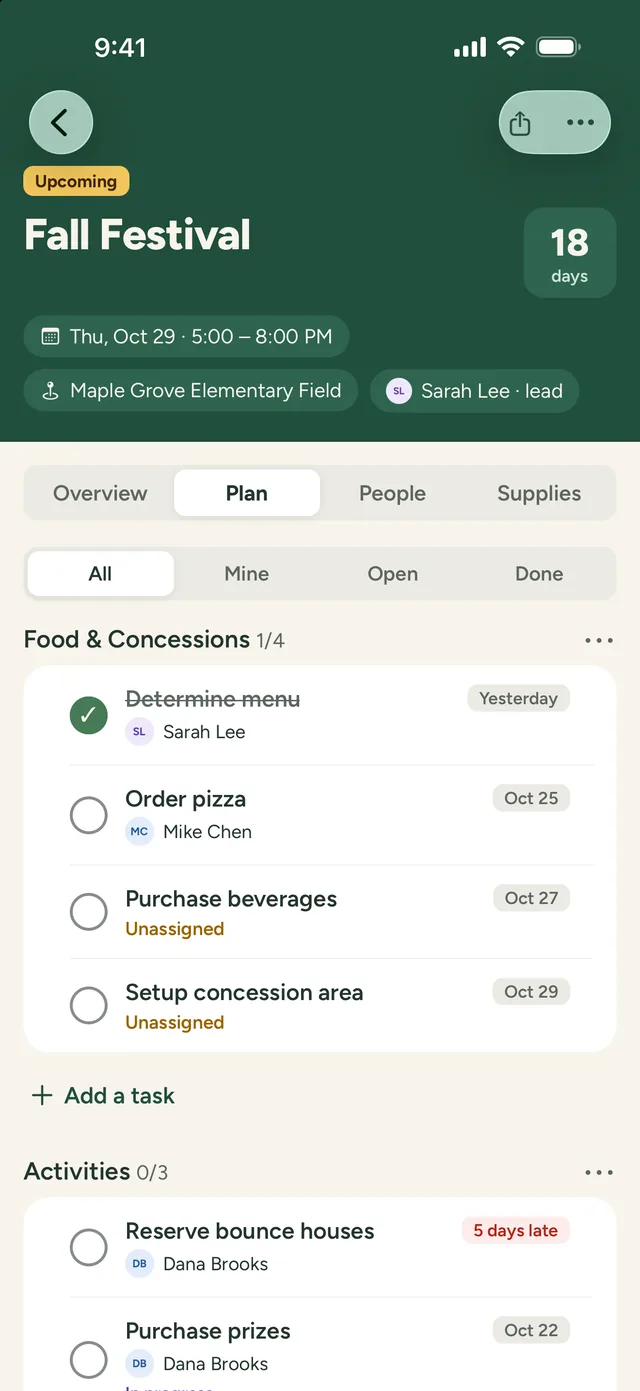
Plan the event
Senior night, the banquet, and everything between
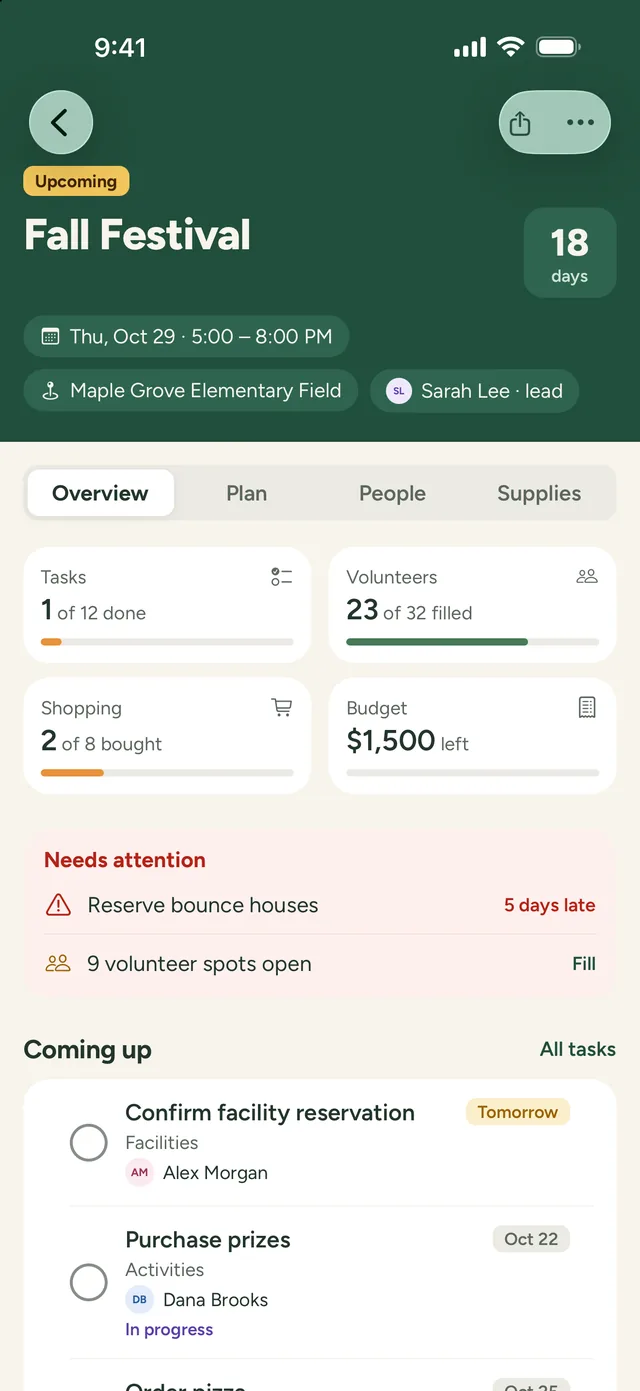
- Break each event into areas like Food, Decorations, and Awards
- Give every task an owner and a due date, so nothing waits on one busy parent
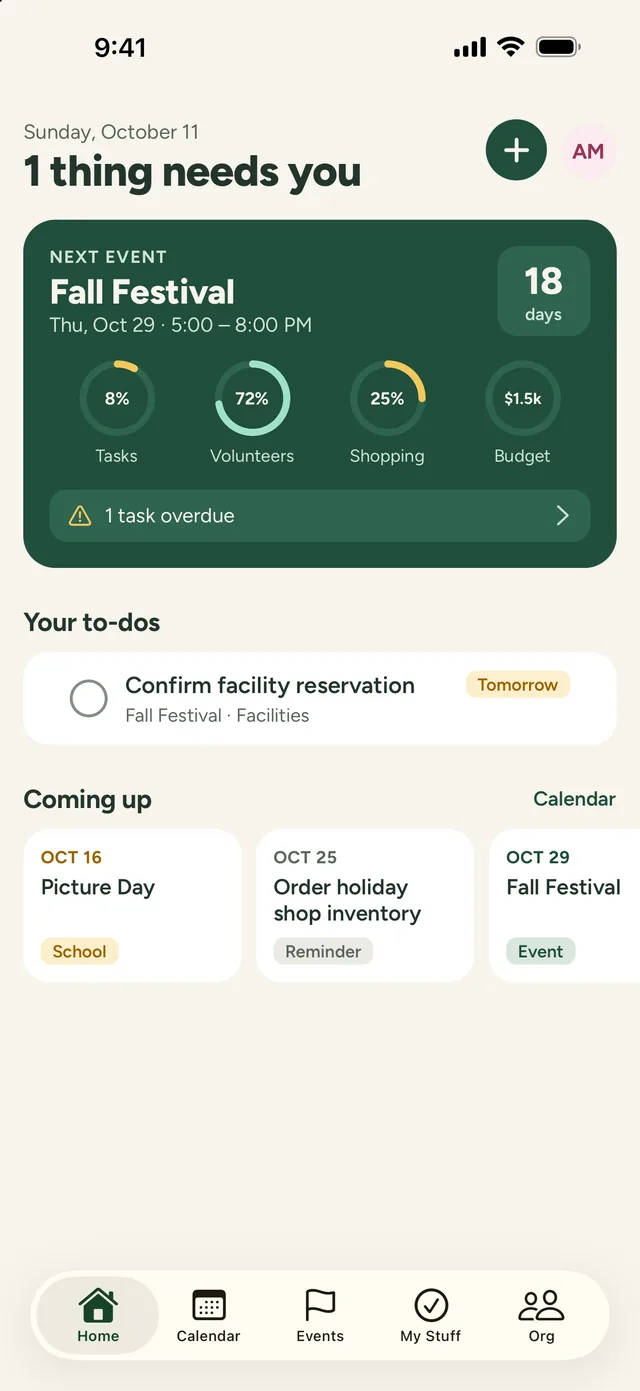
- A countdown and progress check show whether you’re ready for game day
- Keep vendor quotes, flyers, and photos with the event, for your board only
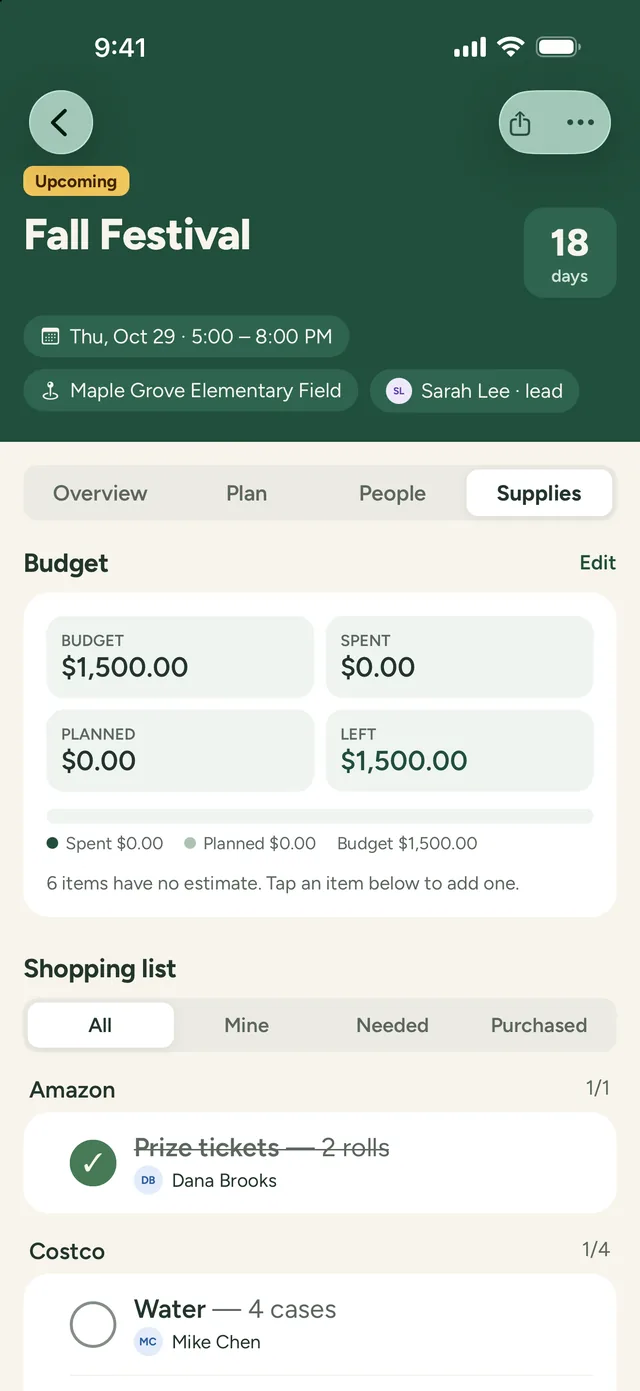
Shopping and budget
Know where every booster dollar went
- Restock lists for the concession stand, grouped by store, with who’s buying what
- A budget for each event, showing what’s spent, planned, and left
- Snap a photo of a receipt, and track which parents are owed a reimbursement
Next season’s board
Don’t start over every season
- Copy last season’s banquet or tournament to new dates, with its tasks, spots, shopping, and budget
- Notes after each event, so the next board knows what to change
- Vendors, donors, and sponsors in one shared directory that stays with the club
- New officers see everything the old board did, from day one
A booster season
Every event your club runs, on one board
Concession stand
Shifts for every home game, and a restock list that doesn’t live in one parent’s head.
Team meals
Pregame pasta dinners and travel snacks, with who’s cooking and who’s bringing what.
Senior night
Posters, flowers, and the halftime walk, planned weeks ahead with an owner for each piece.
End-of-season banquet
Venue, catering, awards, and slideshow, with a budget and a countdown.
Home tournaments and meets
Gate, hospitality room, and scoring-table helpers for a long day of shifts.
Fundraisers
Car washes, golf outings, and spirit wear sales, planned with tasks, volunteers, and a budget.
Band and theater
Competition days, uniform fittings, set builds, and opening-night concessions.
The whole calendar
Games, meetings, and deadlines on one calendar your board can add to their own phones.
Works with what you have
PineBoard runs the events. Keep the rest.
PineBoard doesn’t take payments or replace your club’s money tools. It’s where your board plans the work, fills the shifts, and tracks what each event costs, on iPhone, iPad, Android, and the web.
Keep using:
- • Whatever you use to collect dues, team fees, and spirit wear orders
- • Your team group chat or Facebook group, where you post signup links
- • Your treasurer’s official books


Pricing
One price for your whole club
Try everything free for 60 days, with no card needed. Then it’s $149 a year, about $12 a month, or $19 month to month.
- Your whole board, up to 50 people, with no per-person fees
- Volunteers sign up free, with no account
- Every feature on iPhone, iPad, Android, and the web
- Email reminders and announcements
Planning one big event? Pay as you go.
For a banquet, a home tournament, or a fundraiser, choose the monthly plan: $19 a month only while you plan, then cancel any time. Your plans stay saved, so next season’s board can pick them back up.
Questions booster clubs ask
Our school has several booster clubs. Do we share one account?
Each club gets its own PineBoard, with its own board, events, and subscription, so football’s plans and budget stay separate from band’s. Parents can volunteer for any club’s shifts from its signup link, with no account.
Our season doesn’t follow the school year. Does that matter?
No. Plan events for any dates, all year round. When next season comes, copy last season’s events to new dates instead of starting over.
We only run one or two big events a year. Do we need the yearly plan?
No. Choose the monthly plan instead: $19 a month while you’re planning, and cancel when the event is done. Your events stay saved and read-only, so you can subscribe again next season and copy last year’s plan.
Can we collect dues, team fees, or concession money through PineBoard?
No. PineBoard doesn’t take payments. Keep whatever you use for money now. PineBoard tracks each event’s budget, receipts, and reimbursements, so your treasurer can see where it went.
Can we keep our athlete roster in PineBoard?
No. PineBoard is for the adults who run the club, so please don’t add student information. Volunteer spots and tasks are for parents and other adult helpers.
Can coaches or the athletic director see our plans?
Yes, if you invite them. Anyone you invite to your board can see your events and plans. Parents who only sign up for shifts see the event and its open spots, not your budget or notes.
Do parents need an account or the app?
No. Share a signup link and parents pick a shift from any phone or computer. They get a confirmation with a link to change or cancel, and a reminder the day before.
More answers on the main FAQ and the Support page, or email support@pineboard.app and a real person will reply.
Your next game day, without the scramble
Set up your booster club in a couple of minutes, invite your board, and fill your first concession shifts.
Start your free 60-day trial